Reliable optical connectivity depends on more than choosing a transceiver with the right data rate. For enterprise networks, industrial systems, and infrastructure projects, deployment decisions involving fiber type, wavelength, distance, connector condition, equipment compatibility, and installation procedures can directly affect link stability. A well-planned SFP fiber optic transceiver deployment therefore starts with matching the optical interface to the complete network link rather than treating the module as an isolated component.
Match the Transceiver to the Network Link
The first step is to verify that the transceiver matches the switch, router, or other host equipment. SFP modules are designed for specific electrical and optical interfaces, so network planners should check the host device documentation before installation. Cisco, for example, recommends confirming the transceiver model and ensuring that the optical specifications at both ends of a link are compatible.
Wavelength is particularly important for bidirectional optical links. The transmitting wavelength at one end must correspond to the receiving wavelength at the other. Fiber type and maximum supported distance also need to be considered together, because a module rated for a particular reach should not automatically be assumed to work reliably beyond that specification.
Select the Right Fiber and Connector
Single-mode fiber (SMF) is commonly used when network links require longer transmission distances. Before deployment, installers should verify that the selected SFP module is designed for SMF and that the patch cables use the appropriate connector. LC connectors are widely used with optical SFP modules, making connector compatibility another practical checkpoint during network planning.
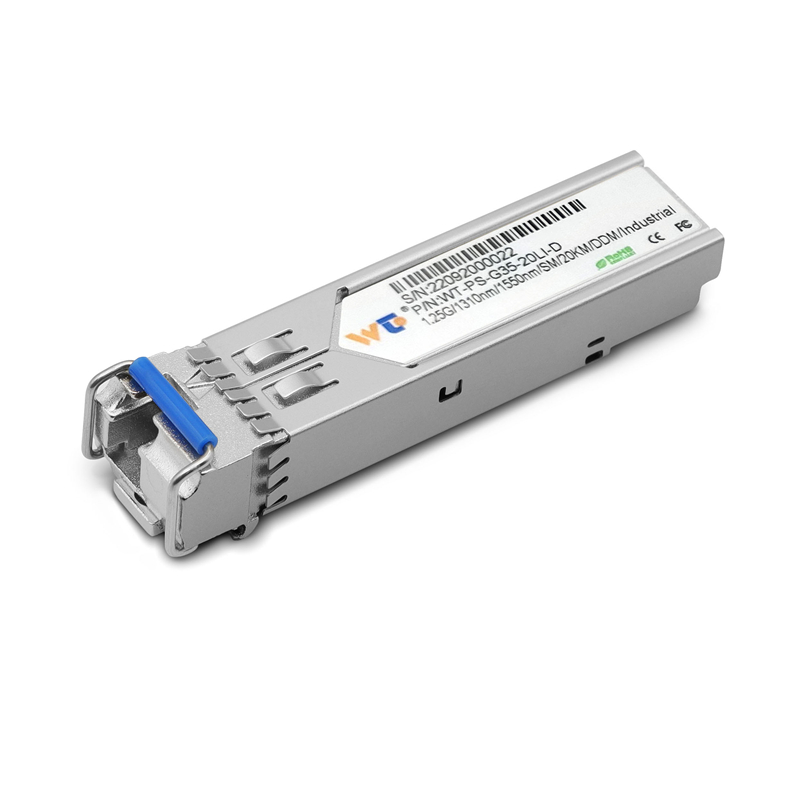
For example, Wintop’s WT-PS-G35-20LI-D is an industrial-grade SFP fiber optic transceiver with an SFP package and LC connector. It supports transmission of up to 20 km over SMF and operates at a 1.25 Gbps data rate. Its optical design uses a 1310 nm FP laser with a 1550 nm PIN photodetector, while the complementary direction uses a 1550 nm DFB laser with a 1310 nm PIN photodetector.
Keep Optical Interfaces Clean
Contamination is a small installation issue that can create significant troubleshooting problems. Dust or other particles on fiber end-faces can interfere with optical transmission and contribute to poor link performance. Cisco installation guidance recommends keeping protective plugs in place until connections are ready and inspecting and cleaning LC connector end-faces immediately before connection.
This practice should apply during both initial installation and maintenance. Unused transceiver ports and disconnected fiber connectors should remain protected with their dust caps. Technicians should also handle connectors by their housings rather than touching the optical end-face, reducing the chance of introducing contamination during routine work.
Confirm TX and RX Orientation
A correctly specified module can still fail to establish a link if the transmit and receive paths are connected incorrectly. During installation, technicians should identify the TX and RX markings and make sure the optical path connects the transmitting side to the receiving side. For duplex connections, both directions are carried through the connector assembly, but the polarity still needs to be correct.
This becomes especially important when deploying bidirectional SFP configurations that use different wavelengths for transmission and reception. Clear labeling at the rack and patch-panel level can make commissioning faster and reduce errors when multiple optical links are installed together.
Consider Installation Conditions and Handling
SFP modules are sensitive electronic and optical components, so physical handling should follow the host equipment manufacturer’s procedures. Cisco recommends using appropriate ESD protection when handling SFP modules and ensuring that the module is properly seated and latched in the host socket. Fiber cables should be disconnected before removing an SFP module to avoid unnecessary stress on the optical interface.
For industrial deployments, environmental specifications deserve equal attention. Wintop’s WT-PS-G35-20LI-D is specified for industrial-grade applications and has a storage temperature range of -40°C to 85°C, with operating relative humidity specified at 5–95%. The module uses a 3.3 V single power supply, has power dissipation below 1 W, and supports DDM for monitoring.
Test the Link Before Network Handover
Installation should end with verification rather than simply confirming that the module is detected. Network teams can check whether the interface reaches the expected data rate, whether the optical link remains stable, and whether monitoring information indicates abnormal conditions. Testing should cover both ends of the connection and should be documented for future maintenance.
A structured deployment record can include the module model, host port, fiber type, wavelength, link distance, connector type, and test results. Such documentation gives operators a practical reference when diagnosing future faults or expanding the network.
Building a More Reliable Optical Deployment
A dependable optical network is the result of matching components, careful installation, clean interfaces, correct polarity, appropriate environmental selection, and systematic testing. These practices reduce avoidable link failures and make maintenance more predictable for business and industrial network operators.
Wintop, a network equipment supplier and national high-tech enterprise specializing in optical modules and switches, provides solutions for optical connectivity across different network requirements. Its WT-PS-G35-20LI-D combines 1.25 Gbps transmission, LC connectivity, SMF support up to 20 km, and an industrial-grade design, giving network integrators another option when selecting SFP modules for suitable deployments.
